Scientific Calculator vs. Graphing Calculator: What Is Actually Different
A scientific calculator solves one expression at a time and shows one answer. A graphing calculator does that too, then adds a bigger screen that plots equations, builds tables of values, and often runs programs. The scientific vs graphing calculator choice comes down to what your class and your exam allow, and a scientific model costs less and has fewer menus to learn.
In the scientific vs graphing calculator debate, the gap is smaller than most people think. Some scientific models now show a table of values and solve equations, and the Desmos tool built into the digital SAT can act as either type. So the real question is not which one is stronger. It is which one your course and your test actually permit.
What Is the Difference Between a Scientific and a Graphing Calculator?
A scientific model handles trigonometric functions, logs, exponents, roots and basic statistics such as standard deviation, one line at a time. A graphing calculator adds a graphical display that draws graphs, traces curves, runs regression analysis and stores programs. Think of the scientific model as a fast pencil, and the graphing model as a pencil plus graph paper.
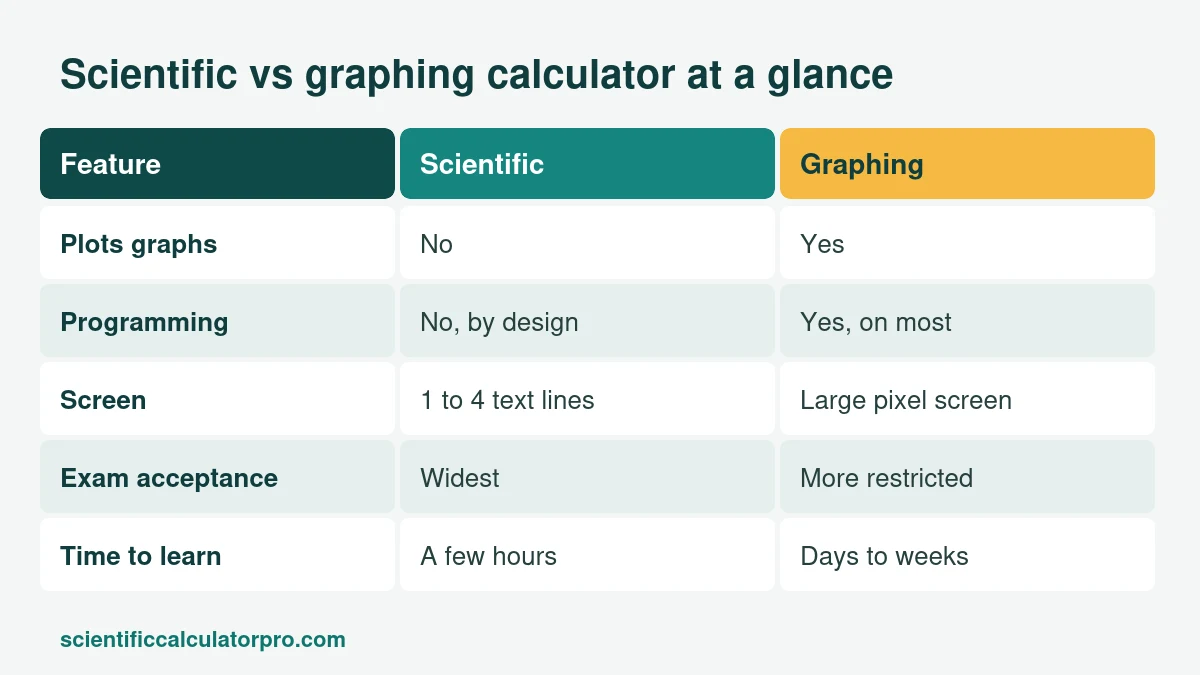
| Feature | Scientific calculator | Graphing calculator |
|---|---|---|
| Plots graphs | No | Yes |
| Table of values | A few advanced models | Yes |
| Equation solver | Some models (polynomial, simultaneous) | Yes |
| Programming | No, non-programmable by design | Yes, on most |
| Screen | 1 to 4 text lines | Large pixel screen |
| Exam acceptance | Widest | More restricted |
| Time to learn | A few hours | Days to weeks |
Texas Instruments describes its TI-36X Pro as a four-line scientific model that shows a function in table form, runs polynomial and system solvers, and handles matrices and vectors, all without a graph screen (TI-36X Pro product page). That is why a good scientific model can carry you through college algebra and many engineering courses.
Same problem, two tools
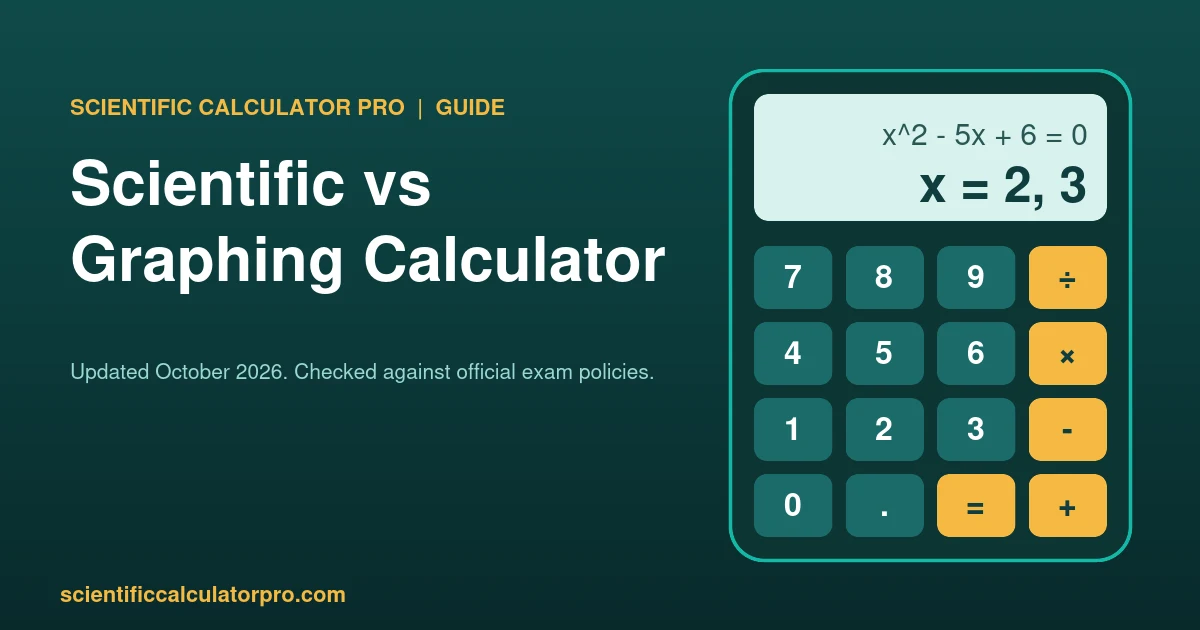
Take x squared minus 5x plus 6 equals 0. On a scientific model with a polynomial solver you enter the three coefficients (1, -5, 6) and read the roots, 2 and 3. On a graphing model you type the equation, draw the parabola and read where it crosses the x-axis, which is also 2 and 3. Same answer, different path, and that is the scientific vs graphing calculator difference in one example. If you only have a basic scientific model, the quadratic formula gets you there in one line.
Do I Need a Graphing Calculator if I Already Have a Scientific Calculator?
Only if your course or exam requires one. Most pre-algebra, geometry and Algebra I work needs nothing beyond a scientific model. Buy the graphing model when a teacher names it on the supply list, or when the exam you are sitting expects graphing.
In the scientific vs graphing calculator question, the clearest case is AP. College Board lists a graphing calculator as required for AP Calculus AB, Calculus BC and Precalculus, and expected for AP Statistics. For AP Chemistry a scientific or graphing model is fine, and AP Physics accepts four-function, scientific or graphing (AP calculator policy).
When Do Classes Actually Require a Graphing Calculator?
In the USA, graphing calculators usually show up in Algebra II, Precalculus, Calculus and statistics. Geometry, Algebra I and most science classes use a scientific model. In South Africa a graphing calculator is the wrong buy for matric, because senior certificate exam circulars have required approved scientific models that are non-programmable and non-graphical. In Brazil, ENEM allows no personal calculator at all.
- Algebra I, Geometry, Chemistry, Physics: scientific is enough
- Algebra II and Precalculus: the teacher decides, so ask before you buy
- AP Calculus, AP Precalculus, AP Statistics: graphing required or expected
- South African matric and ENEM in Brazil: scientific only, or no calculator
Is a Scientific Calculator Enough for Standardized Tests?
Yes for the SAT and ACT. College Board allows scientific models and non-CAS graphing calculators on the SAT, and the digital test also includes a built-in Desmos calculator with graphing and scientific options. The ACT accepts any four-function, graphing or scientific model that is not on its prohibited list, and it bans CAS models such as the TI-Nspire CAS.
| Test | Scientific | Graphing | Notes |
|---|---|---|---|
| SAT | Yes | Yes, non-CAS only | Desmos is built into Bluebook, no power cords |
| ACT | Yes | Yes, non-CAS only | CAS models are prohibited |
| AP Calculus | Not enough | Required | Approved graphing list only |
| South Africa NSC | Yes, non-programmable | No | Confirm with your school’s current exam rules |
| ENEM (Brazil) | No | No | No personal calculator (see our Portuguese guide) |
Policies change, and the scientific vs graphing calculator rules differ by exam, so read the official page for your own test date. Links are in the sources at the bottom.
How Much More Does a Graphing Calculator Cost?
Graphing calculators usually cost several times more than scientific ones. A basic scientific model sits at the cheap end of the school-supply list, while graphing models from Texas Instruments, Casio and HP sit at the expensive end. Prices change often and differ by country, so compare current prices at your usual store.
If your course does not require graphing, the saving is the main reason to start with a scientific model. For the odd graph, the free Desmos graphing tool works in a browser. That is why the scientific vs graphing calculator decision is mostly about what your syllabus names, not about which one is more powerful.
Is a Physical Scientific Calculator Better Than a Calculator App?
For exams, yes, because phones are banned and the physical model is the one you can bring. For homework, an app or a free online tool works well. A physical calculator has real keys, no notifications and months of battery life. You can try our free online scientific calculator to see which functions you actually use before you buy anything.
Do Professionals Still Use Scientific Calculators at Work?
Yes, mostly for quick checks. Engineers run heavy models in software and reach for a scientific model for fast arithmetic and sanity checks. The strongest proof is licensing. NCEES only allows listed models on the FE and PE engineering exams, mainly the TI-30X and TI-36X families and the Casio fx-115 and fx-991 lines, while popular graphing models like the TI-84 are not on that list (NCEES calculator policy).
Why Do Graphing Calculators Still Have Low-Resolution Screens?
Because exam boards approve specific models, and makers keep the hardware and menus stable so every student, teacher and proctor sees the same thing. A calculator that changes every year is hard to approve and hard to teach. Color screens exist, for example on the TI-84 Plus CE, but the core layout has barely moved.
Scientific vs Graphing Calculator: Which One Should You Buy?
Buy what your syllabus names. If it names nothing, start with a scientific model. Three quick rules for the scientific vs graphing calculator decision:
- If the syllabus lists a graphing calculator, buy that exact model and nothing fancier.
- If it says scientific, a Casio fx-991 type or a TI-36X Pro covers it. Our buying guide compares them.
- If you are unsure, ask the teacher, then practise on the same model you will use in the exam.
More Guides
- A Beginner’s Guide to Using Your Calculator
- Order of Operations on a Calculator: PEMDAS and BEDMAS
- The Real Benefits of Using a Calculator in School
- A Straightforward Calculator Buying Guide
- Browse all guides
Sources
Policies checked October 2026. Worked examples were calculated by hand and double-checked.